Description
Enterprise Solutions contains all the features and functions of QuickBooks Premier
editions, and builds on those with additional powers that make it easier to use
QuickBooks as your business grows:
• The amount of data that can be held in QuickBooks lists is enlarged to
accommodate large businesses.
• Setting up user permissions to specify what each user can do and see is greatly
expanded, making it easier to hide sensitive data without limiting the day-to-day work of each user.
• More users can access the company file simultaneously, and Enterprise Solutions
has built-in support for Windows Terminal Services and Linux servers.
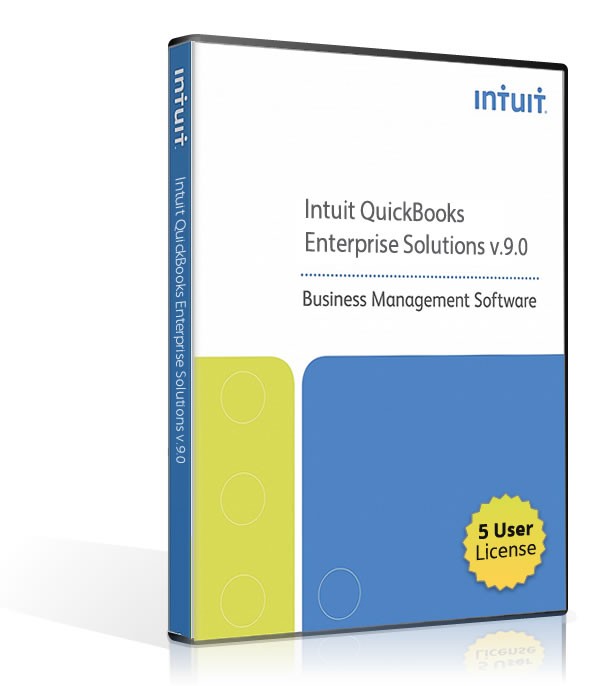
Includes a 5 User License
New Features- Multicurrency Support
track financials in the currency of those customers and vendors by enabling multicurrency support. - Support for Larger Numbers
QuickBooks now supports financial entries up to 99 billion (the previous limit was 99 million) - QuickBooks Messenger
When you’re running QuickBooks in multi-user mode, use QuickBooks Messenger to communicate with other users on the network. - Client Data Review
Client Data Review is a powerful tool that lets accountants (including external accountants as described in the previous section) examine the company file for problems or potential problems and fix them.
Compare Newer Features of
Quickbooks Enterprise v10 (2 User)
- Client Data Review
a master control center for file cleanup designed to save accounting professionals time - Document Management
electronically "paperclip" documents to your QuickBooks transactions to stay organized - Add/Edit Lists
copy and paste from Excel directly into key QuickBooks lists for easier new client setup or faster list updates - And MORE!
Software Compatibility Matrix
Tech Specs
System requirements for QuickBooks 2009
Note: QuickBooks has not been tested with Internet Explorer 9. In some cases, it may be necessary to revert to Internet Explorer 8 to ensure the best possible performance with QuickBooks.
System requirements for QuickBooks 2009 include the following:
• Operating systems supported
• Windows Vista: QuickBooks SimpleStart, Pro, and Premier minimum requirements
• Windows XP: QuickBooks SimpleStart, Pro, and Premier minimum requirements
• Windows Vista: QuickBooks Enterprise Solutions minimum requirements
• Windows XP: QuickBooks Enterprise Solutions minimum requirements
• RAM requirements for Microsoft Terminal Services
• Software compatibility
• Firewall and antivirus software compatibility
Note: For information on how QuickBooks 2009 is supported on Windows 7, refer to the Windows 7 FAQ.
Operating systems supported
Windows Home Server Edition is not supported.
To run QuickBooks 2009 or QuickBooks Enterprise Solutions:
• Windows Vista with UAC, all editions including 64-bit, natively installed
• Windows XP (SP2 or later strongly recommended), all editions including 64-bit if SP2 or later installed, natively installed
• Windows Server 2003 or Windows Server 2008 Standard, Small Business and Enterprise editions including 64-bit, natively installed
For database servers:
• Windows: Natively installed Vista, XP Professional, Windows Server 2003 or 2008. Note:
• Linux: The following natively installed versions are supported when using an Enterprise Solutions database server only installation.
• SUSE 10.2
• OpenSUSE 10.2, 10.3
• Fedora 6, 7, 8
• CentOS 5
• Debian (Lenny)
• Mandriva
• Ubuntu 6.06, 7.04, 7.10, 8.04
For file servers:
• Novell Netware server or Linux/Samba file servers can be used with advanced configuration. Performance will be impacted on networks running less than 100 Mbps.
Windows Vista: QuickBooks SimpleStart, Pro, and Premier minimum requirements
• At least 2.0GHz Pentium 4 processor; 2.4GHz recommended
• At least 512MB of RAM for a single user; 1 GB recommended
• 1 GB of disk space (additional space required for data files)
• 4x CD-ROM drive required for CD installs
• Display optimized for 1024 x 768 screen resolution or higher; supports 800 x 600 using the Small Fonts setting in Windows Control Panel > Display settings
• U.S. version of Windows only.
• Regional Settings are supported when set to English (United States) with keyboard setting to US only.
• Natively installed
• Disk space requirements for additional software:
• 50MB for Microsoft .NET 2.0 Runtime, provided on the QuickBooks CD.
• Google Desktop Search (in-product search) space requirements are determined by the size of the company file and the nature of use. It is not unusual for indexes to be as large as 1GB.
Windows XP: QuickBooks SimpleStart, Pro, and Premier minimum requirements
• At least 2.0GHz Pentium 4 processor; 2.4GHz recommended
• At least 256MB RAM for a single user; 512MB recommended
• At least 512MB of RAM for multiple, concurrent users
• 1 GB of disk space (additional space required for data files)
• 4x CD-ROM drive required for CD installs
• Display optimized for 1024 x 768 screen resolution or higher; supports 800 x 600 using the Small Fonts setting in Windows Control Panel > Display settings
• U.S. version of Windows only.
• Regional Settings are supported when set to English (United States) with keyboard setting to US only.
• Natively installed
• Disk space requirements for additional software:
• 50MB for Microsoft .NET 2.0 Runtime, provided on the QuickBooks CD.
• Google Desktop Search (in-product search) space requirements are determined by the size of the company file and the nature of use. It is not unusual for indexes to be as large as 1GB.
Windows Vista: QuickBooks Enterprise Solutions minimum requirements
• At least 2.8GHz Pentium 4 processor for a client
• At least 1GB RAM for a client
• 1GB RAM or more strongly recommended for a server
• 1 GB of disk space (additional space required for data files)
• 4x CD-ROM drive required for CD installs
• Display optimized for 1024 x 768 screen resolution or higher; supports 800 x 600 using the Small Fonts setting in Windows Control Panel > Display settings
• U.S. version of Windows only.
• Regional Settings are supported when set to English (United States) with keyboard setting to US only.
• Natively installed
• Disk space requirements for additional software:
• 50MB for Microsoft .NET 2.0 Runtime, provided on the QuickBooks CD.
• Google Desktop Search (in-product search) space requirements are determined by the size of the company file and the nature of usage. It is not unusual for indexes to be as large as 1GB.
• Minimum network requirements:
• 100 Mbps network card
• 100 Mbps switch or router
• 40 Mbps network bandwidth
Windows XP: QuickBooks Enterprise Solutions minimum requirements
• At least 2.0GHz Pentium 4 processor for a client
• At least 512MB RAM for a client
• 1GB RAM or more strongly recommended for a server
• 1 GB of disk space (additional space required for data files)
• 4x CD-ROM drive required for CD installs
• Display optimized for 1024 x 768 screen resolution or higher; supports 800 x 600 using the Small Fonts setting in Windows Control Panel > Display settings
• U.S. version of Windows only.
• Regional Settings are supported when set to English (United States) with keyboard setting to US only.
• Natively installed
• Disk space requirements for additional software:
• 50MB for Microsoft .NET 2.0 Runtime, provided on the QuickBooks CD.
• Google Desktop Search (in-product search) space requirements are determined by the size of the company file and the nature of usage. It is not unusual for indexes to be as large as 1GB.
• Minimum network requirements:
• 100 Mbps network card
• 100 Mbps switch or router
• 40 Mbps network bandwidth
Contents
- Software License/Serial Key
- DVD Package
- Activation Code
Notes
Product Satisfaction Guarantee & Disclaimer:
This product may not be new. The product has been verified to be genuine and no longer in use by the previous owner.
We offer a Total Satisfaction Guarantee. If you are not satisfied with your purchase, for any reason, you can return your purchase within 14 days of the purchase date.
Some assistance may be required for activation of Pre-Owned products . If you have any issues activate this product please contact us.
Contents
- Software License/Serial Key
- DVD Package
- Activation Code